Huge thanks to chriis for the original write-up; it’s an excellent walkthrough. While implementing it I hit a few snags and took some different turns, so here is my version of the process.
Prerequisites: a Phoenix application that already runs locally (LiveView is optional) and an existing authentication/user system.
Setup and Configuration
-
Head to the Google Cloud Console and create a new project (or pick an existing one).
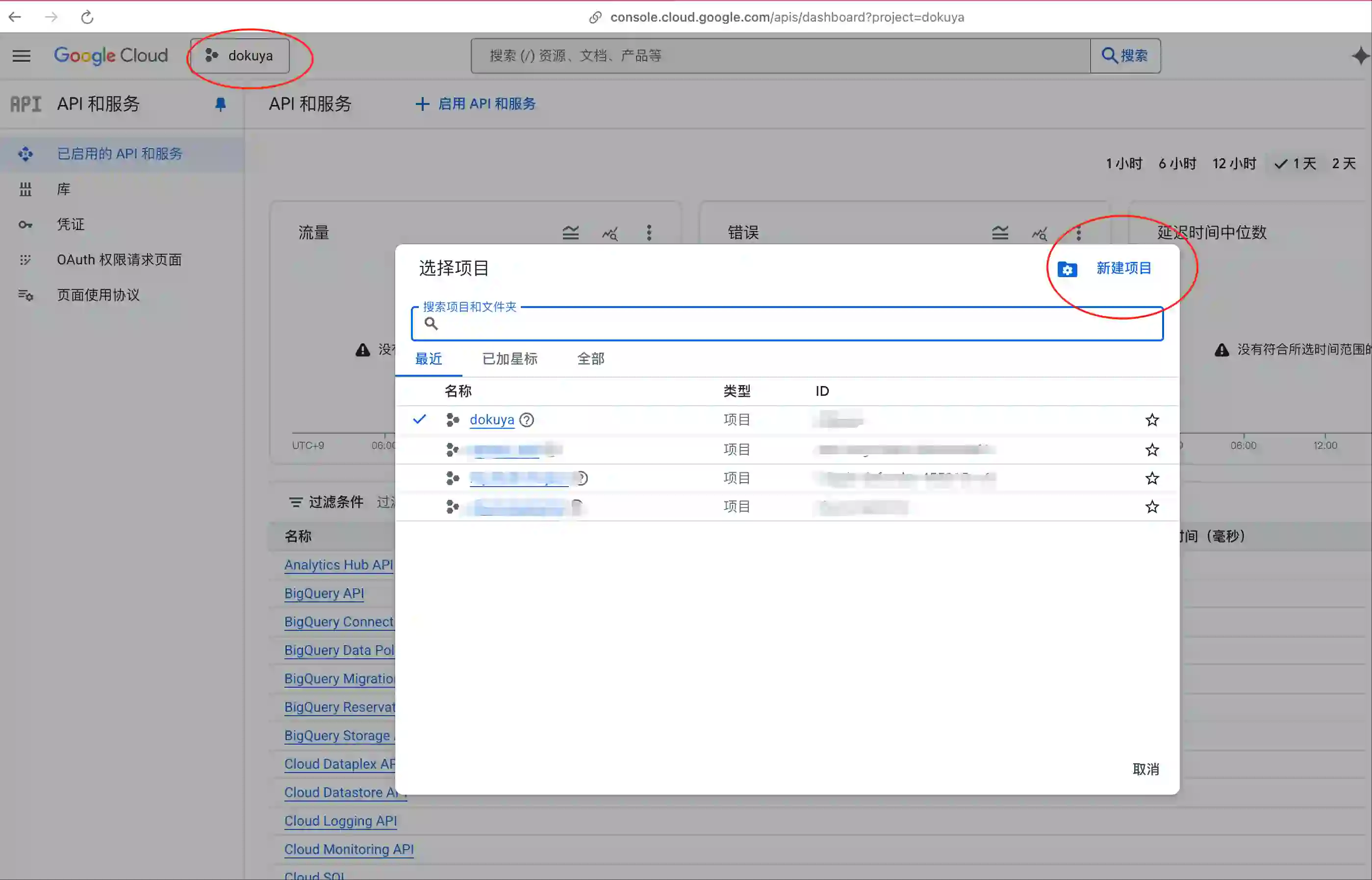
-
Open the newly created project.
-
In the left navigation choose “OAuth consent screen”.
-
Click “Menu” → “Get started”, fill out the basics for your app, and complete the wizard.
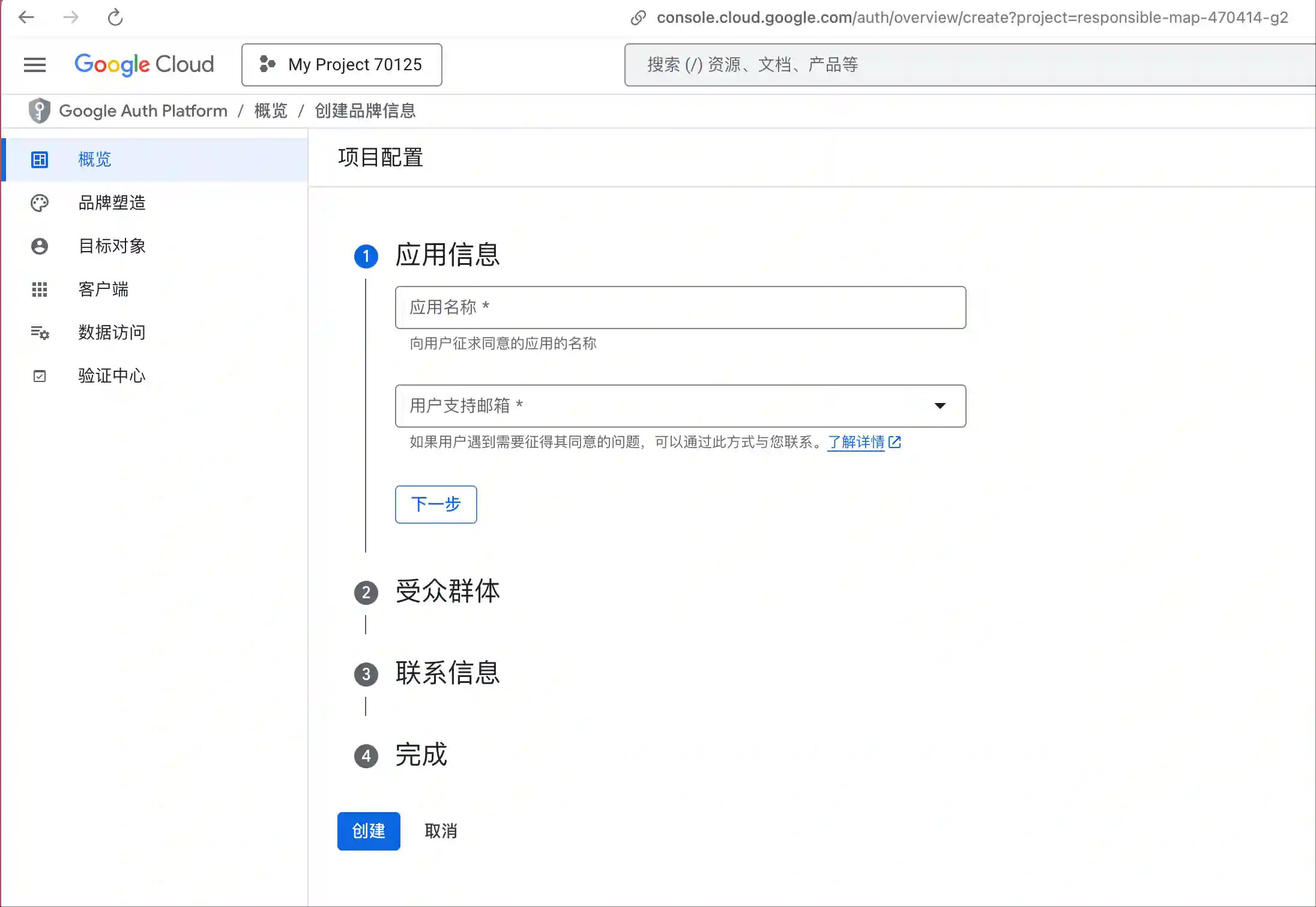
-
Click “Create OAuth client” and enter the required information. Two fields matter most (see screenshot):
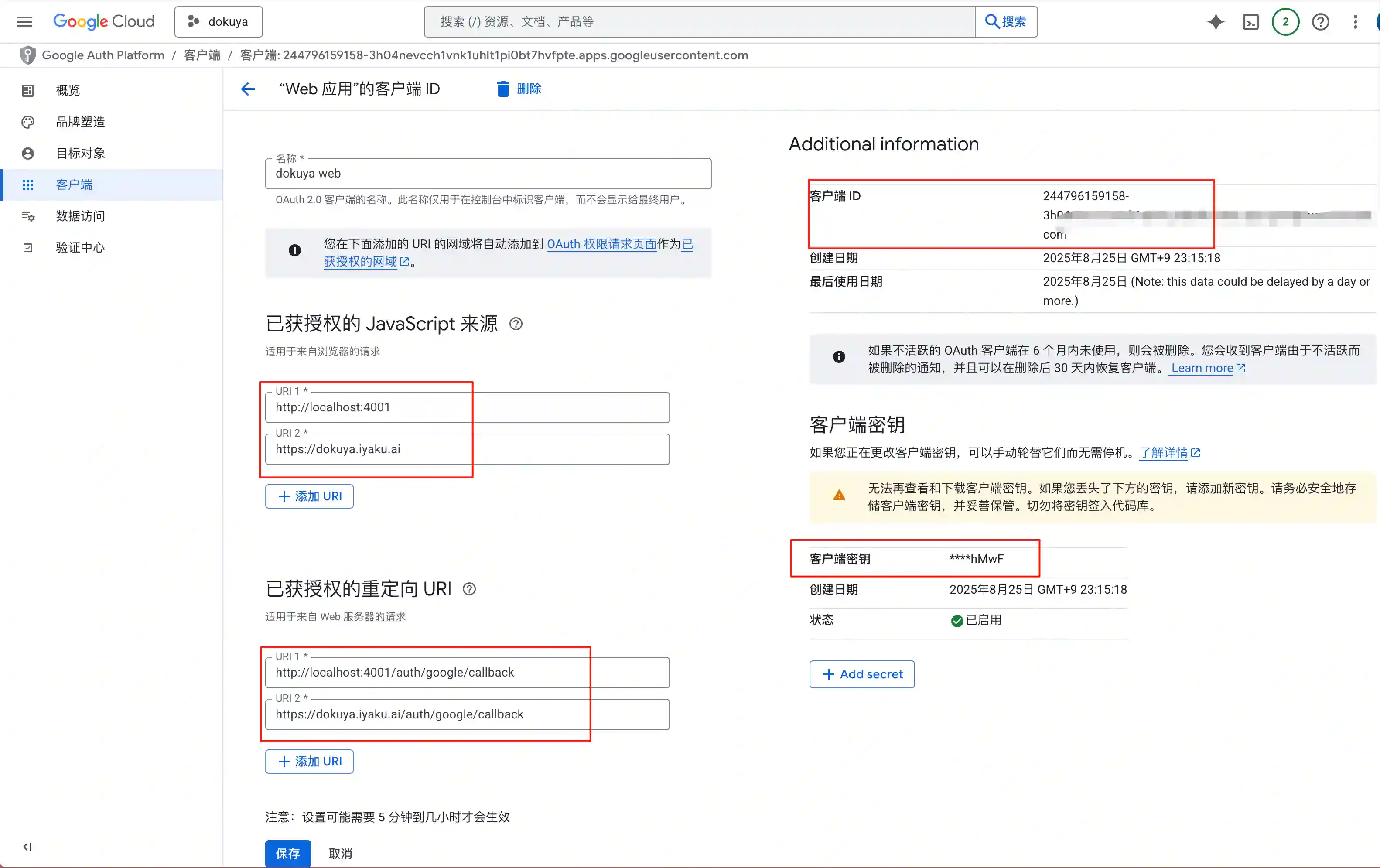
- Authorized JavaScript origins: the URLs of your staging and production environments (e.g.,
http://localhost:4000,https://example.com). - Authorized redirect URIs: the same URLs with
/auth/google/callbackappended (or whatever path you’ll define in your code), for examplehttp://localhost:4000/auth/google/callback,https://example.com/auth/google/callback.
- Copy the Client ID and Client secret shown on this page and store them somewhere safe (the secret won’t remain visible).
- Click Create/Save at the bottom.
Pull in the Template Code
Now back to the Phoenix project.
- Install Ueberauth with the Google strategy.
# Add to mix.exs
{:ueberauth_google, "~> 0.10.8"}
Run mix deps.get to fetch the dependency.
- Configure Ueberauth.
config/dev.exs:
config :ueberauth, Ueberauth,
  providers: [
    google: {Ueberauth.Strategy.Google, [default_scope: "email profile"]}
  ]
config/prod.exs:
config :ueberauth, Ueberauth,
  providers: [
    google: {Ueberauth.Strategy.Google, [default_scope: "email profile", callback_scheme: "https"]}
  ]
The only difference is that production sets callback_scheme. Ueberauth defaults to http, which works for development (http://localhost:4000) but fails in production—Google rejects the callback URL unless it matches the scheme. The original article glosses over this, but it’s required.
Finally update config/runtime.exs:
# Remember those client credentials you saved?
# Expose them via environment variables and pull them in here.
config :ueberauth, Ueberauth.Strategy.Google.OAuth,
  client_id: System.get_env("GOOGLE_CLIENT_ID"),
  client_secret: System.get_env("GOOGLE_CLIENT_SECRET")
- Update the user schema.
Replace
XXXXXwith your app’s actual module names.
Add the field and changeset to lib/dokuya/accounts/user.ex:
schema "users" do
  ...
  field :is_oauth_user, :boolean, default: false
  ...
end

# Adjust the fields to match your user schema.
def oauth_registration_changeset(user, attrs, opts \\ []) do
  user
  |> cast(attrs, [:email])
  |> validate_required([:email])
  |> validate_email(opts)
  |> put_change(:is_oauth_user, true)
end
Run mix ecto.gen.migration add_is_oauth_user_to_users to create a migration and edit it like so:
defmodule Dokuya.Repo.Migrations.AddOauthUser do
  use Ecto.Migration

  def change do
    alter table(:users) do
      add :is_oauth_user, :boolean, default: false
      # OAuth users don’t need a password, so allow NULL.
      modify :hashed_password, :string, null: true
    end
  end
end
Run mix ecto.migrate to apply it.
Then add a helper to lib/xxxxx/accounts.ex:
def register_oauth_user(attrs) do
  %User{}
  |> User.oauth_registration_changeset(attrs)
  |> Repo.insert()
end
- Add the controller.
Create lib/xxxxxx_web/controllers/google_auth_controller.ex:
defmodule XXXXWeb.GoogleAuthController do
  require Logger
  use XXXXXWeb, :controller
  plug Ueberauth

  alias XXXXX.Accounts
  alias XXXXXWeb.UserAuth

  def request(conn, _params) do
    Phoenix.Controller.redirect(conn, to: Ueberauth.Strategy.Helpers.callback_url(conn))
  end

  def callback(conn, params) do
    create(conn, params, "Welcome back!")
  end

  # Google login
  defp create(%{assigns: %{ueberauth_auth: auth}} = conn, _params, info) do
    email = auth.info.email

    case Accounts.get_user_by_email(email) do
      nil ->
        # User not found—create one.
        # I only need the email address here, but auth.info includes more data.
        case Accounts.register_oauth_user(%{
               email: email
             }) do
          {:ok, user} ->
            Logger.info("Google login success: #{inspect(user)}")

            conn
            |> put_flash(:info, info)
            |> UserAuth.log_in_user(user, %{"remember_me" => "true"})

          {:error, changeset} ->
            Logger.error("Failed to create user #{inspect(changeset)}.")

            conn
            |> put_flash(:error, "Failed to create user.")
            |> redirect(to: ~p"/")
        end

      user ->
        # Existing user—update the session as needed.
        conn
        |> put_flash(:info, info)
        |> UserAuth.log_in_user(user, %{"remember_me" => "true"})
    end
  end
end
- Wire up the routes.
Add the following to lib/xxxx_web/router.ex:
  scope "/auth", DokuyaWeb do
    # Without this you’ll hit fetch_session errors during login.
    pipe_through :browser

    get "/:provider", GoogleAuthController, :request
    get "/:provider/callback", GoogleAuthController, :callback
  end
- Place a sign-in button wherever you like.
<.button href={~p"/auth/google"}>Login with Google</.button>
And that’s it—users can now log in with Google.